
A modern Human Resource Information System (HRIS), also known as an HRMS, brings all your core HR functions into one centralized platform. Instead of juggling multiple tools for payroll, onboarding, attendance, performance management, and employee records, HR teams can automate routine tasks, reduce administrative work, and improve the employee experience.
With dozens of HRIS solutions on the market, finding the right one can be challenging. The best platform should streamline your HR processes today while giving you the flexibility to support your workforce as your business grows. In this guide, we’ve compared the 10 best HRIS systems to help you choose the right solution for your organization.
What is an HRIS
Here is what a well-implemented HRIS actually does for your team:
- Strengthens communication: Makes it easy to share company policies, onboarding materials, training resources, and benefits information from a centralized location.
- Automates HR tasks: Simplifies payroll, attendance, leave management, onboarding, and employee recordkeeping so your team stops doing things manually.
- Centralizes employee data: Stores all HR information in one secure, easy-to-access platform and eliminates duplicate records across disconnected tools.
- Improves efficiency: Reduces manual work, minimizes errors, and saves time for HR teams on routine admin.
- Supports workforce planning: Provides insights through reports and analytics to help make data-driven hiring and staffing decisions.
- Enhances employee experience: Enables self-service access to payslips, leave requests, benefits, and personal information without going through HR.
- Boosts productivity: Frees HR teams to focus on employee engagement, development, and strategic initiatives instead of repetitive administrative tasks.
- Scales with your business: Available as cloud-based or on-premise solutions to meet the needs of organizations of all sizes.
Top 10 HRIS Platforms for Modern HR Teams
Here is my list of the top HRIS systems. I have evaluated each one not just on features but on how they hold up in real-world HR environments. Before we dive in, here’s a quick glance at the tools:
| Tool | Best For | User Rating | Price |
| BambooHR | Dedicated HRIS | G2: 4.4/5 Capterra: 4.6/5 |
Starts at $10/employee/month |
| Rippling | All-in-One HR, IT, and Payroll Automation | G2: 4.8/5 Capterra: 4.9/5 |
Custom Quote |
| Gusto | Payroll-First Small Businesses | G2: 4.6/5 Capterra: 4.6/5 |
Starts at $49/month + $6/employee/month |
| factoHR | Comprehensive Payroll and Compliance Management | G2: 4.6/5 Capterra: 4.7/5 |
Custom Quote |
| SAP SuccessFactors | Global Enterprise HR | G2: 4.1/5 Capterra: 4.0/5 |
Starts at $1.18/user/month |
| UKG Pro (UltiPro) | Large Workforce Management | G2: 4.3/5 Capterra: 4.3/5 |
Custom Quote |
| Workday | Finance-HR Integrated Enterprises | G2: 4.1/5 Capterra: 4.5/5 |
Custom Quote |
| HiBob (Bob) | Mid-Market Teams Prioritizing Employee Experience | G2: 4.5/5 Capterra: 4.6/5 |
Custom Quote |
| Paycor | US Mid-Market HR and Payroll | G2: 3.9/5 Capterra: 4.3/5 |
Starts at $99 base + $5/employee/month |
| Deel HR | Global Teams and International Hiring | G2: 4.8/5 Capterra: 4.9/5 |
Starts at $125/employee/month |
1. BambooHR – Editor’s Choice, Best for Dedicated HRIS
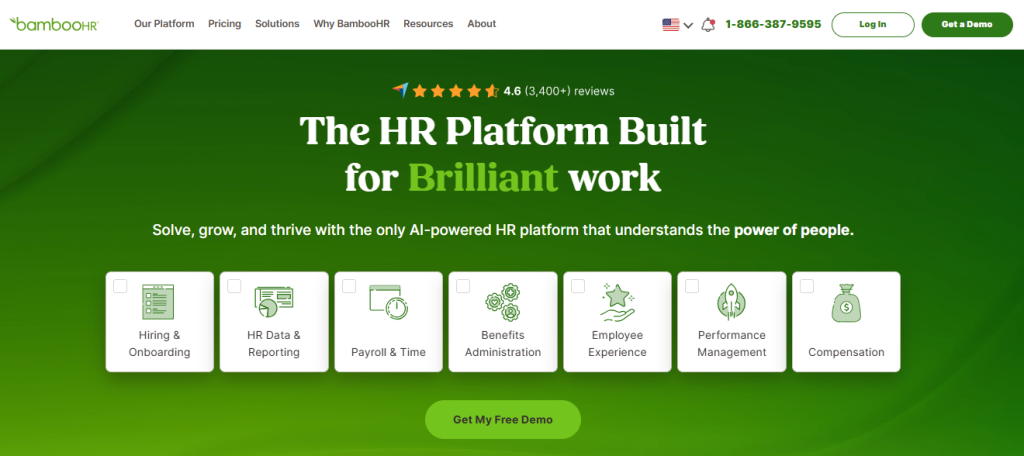
BambooHR is one of the most widely adopted HRIS platforms for small and mid-sized businesses, and for good reason. Unlike platforms that bolt HR onto payroll or IT infrastructure, BambooHR is built from the ground up as a dedicated people management system. That focus shows in everything from its clean interface to how quickly HR teams can get up and running without needing an IT department.
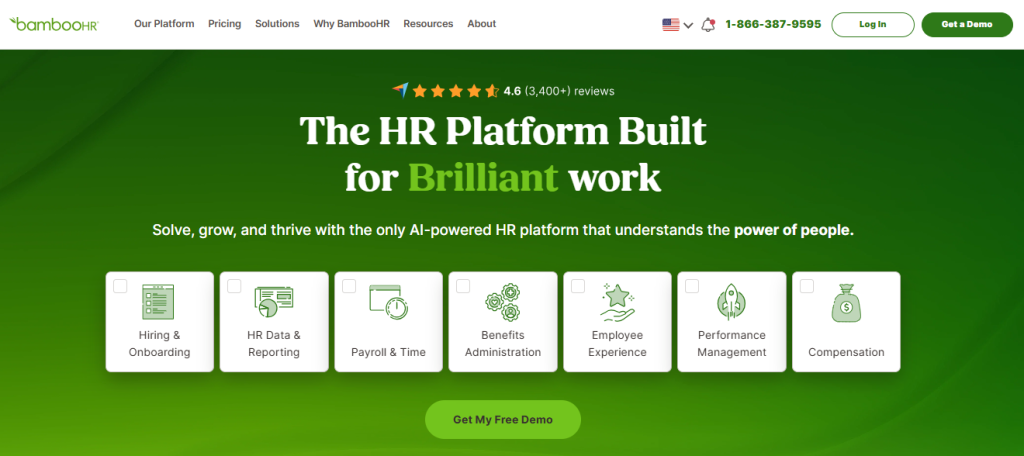
For companies moving off spreadsheets or a patchwork of disconnected tools, BambooHR offers a centralized employee database, a well-designed self-service portal, and automated workflows that take routine admin tasks off HR’s plate. The platform’s onboarding module is particularly strong: new hires can complete paperwork, access policies, and connect with their team before their first day.
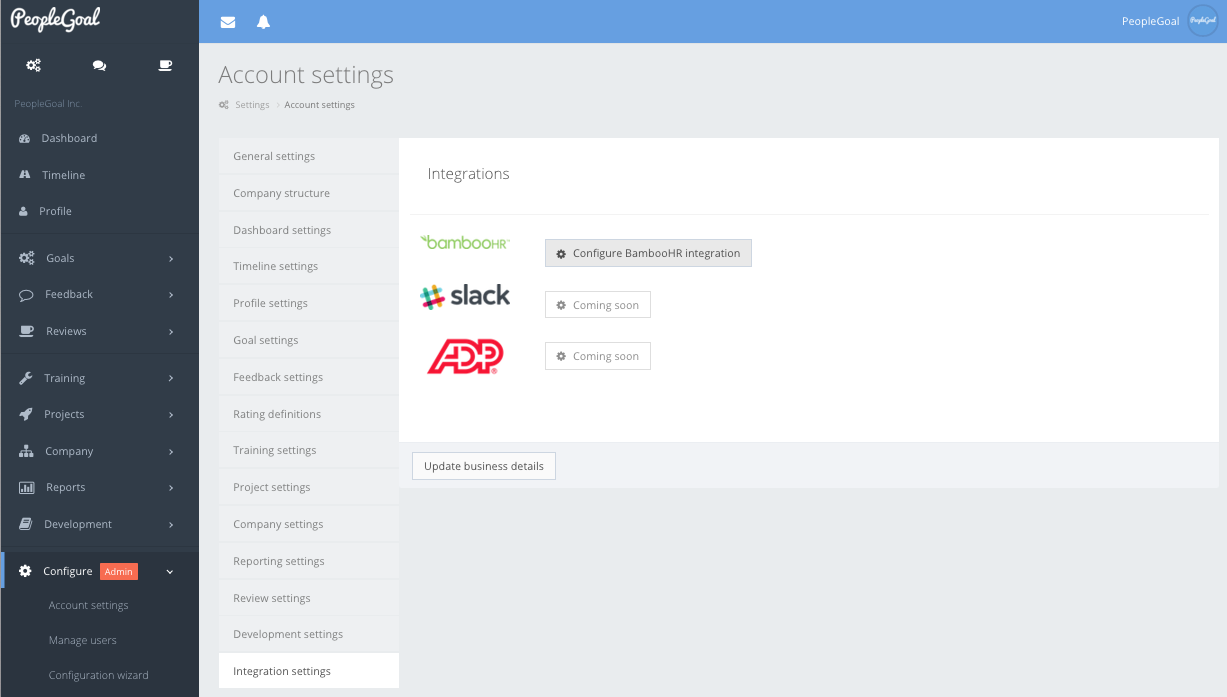
BambooHR also integrates with a wide range of tools, including payroll providers, benefits platforms, and training software. If your team uses ProProfs Training Maker, the BambooHR integration lets you trigger training assignments directly from HR events like new hire onboarding, role changes, or annual compliance cycles, keeping HR and L&D workflows connected without manual coordination.
4.6 ★
G2 rating (6,800+ reviews)
30K+
Companies using BambooHR
~2 wks
Average time-to-go-live
Pros:
- Purpose-built HRIS with a clean, intuitive interface that requires minimal training
- Strong onboarding module that gets new hires productive before day one
- 500+ integrations covering payroll, benefits, ATS, and training tools
- Self-service portal reduces HR admin load for routine employee requests
- AI-powered goal creation tools and EOR employee syncing (added in 2026)
Cons:
- Advanced payroll requires a separate add-on rather than being built in
- Can feel limiting for companies that grow beyond 500 employees
- Some ATS sync issues have been reported for European customers
User Rating: 4.4/5 (G2, 5,600+ reviews) | 4.6/5 (Capterra, 3,400+ reviews)
Pricing: Free trial available. Starts at $10/employee/month
Streamline your HR processes with BambooHR
Get pricing, explore features, and see how BambooHR can simplify onboarding, employee records, and performance management.
2. Rippling – Best for All-in-One HR, IT, and Payroll Automation
I have seen Rippling completely change how fast-moving teams operate. What stands out is that it goes beyond HR: it combines people management, IT provisioning, and payroll in one system, so when a new hire joins, their payroll, benefits, laptop setup, and software access are all handled in a single automated workflow.
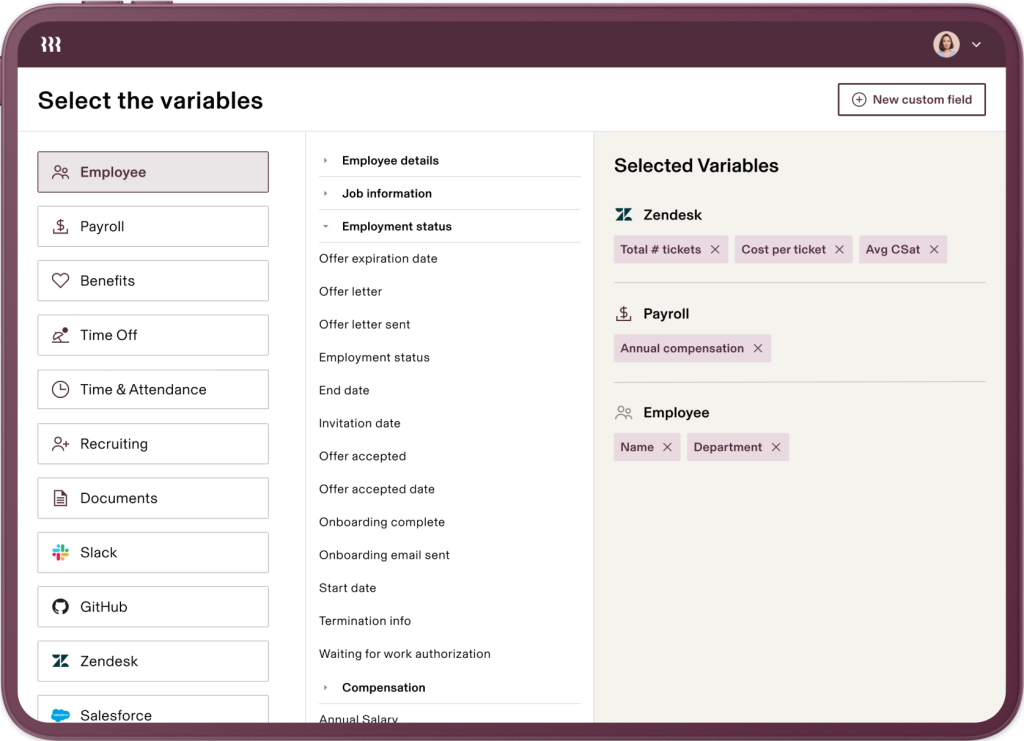
For teams that have been running HR and IT as completely separate functions, that consolidation alone saves hours every week. Core HR covers employee records, onboarding, and org management. Full-service payroll runs across the US and 185+ countries. Benefits and health insurance are administered from the same dashboard.
IT management handles device provisioning, software access, and SSO without looping in a separate IT team. The Automated Compliance module, including SOC 2 support, was added in 2026 and covers audit evidence collection across HR, devices, and app access. Over 500 third-party integrations round out a platform built to replace multiple disconnected tools entirely.
Pros:
- Only platform that natively unifies HR, payroll, IT, and compliance in one system
- Automated new hire workflow covers payroll, benefits, email setup, and device management simultaneously
- Global payroll covers 185+ countries without needing a separate EOR tool
- Strongest integration library in this list at 500+ apps
- Automated Compliance module (including SOC 2 support) added in 2026
Cons:
- Per-seat cost can feel high for smaller teams not using the full platform
- Complexity requires initial setup time; not ideal for teams that want instant plug-and-play
- Some users report that payroll support can require significant customer-side effort
User Rating: 4.8/5 (G2, 10,000+ reviews) | 4.9/5 (Capterra, 4,800+ reviews)
Pricing: Custom Quote
3. Gusto – Best for Payroll-First Small Businesses
When I was helping a 25-person startup move off manual payroll tracking, Gusto was the obvious first call. It handles the full complexity of US payroll: automatic federal, state, and local tax filings, multi-state support, contractor payments, net-to-gross calculations, and multiple pay schedule options, all in an interface that non-HR founders can actually navigate.
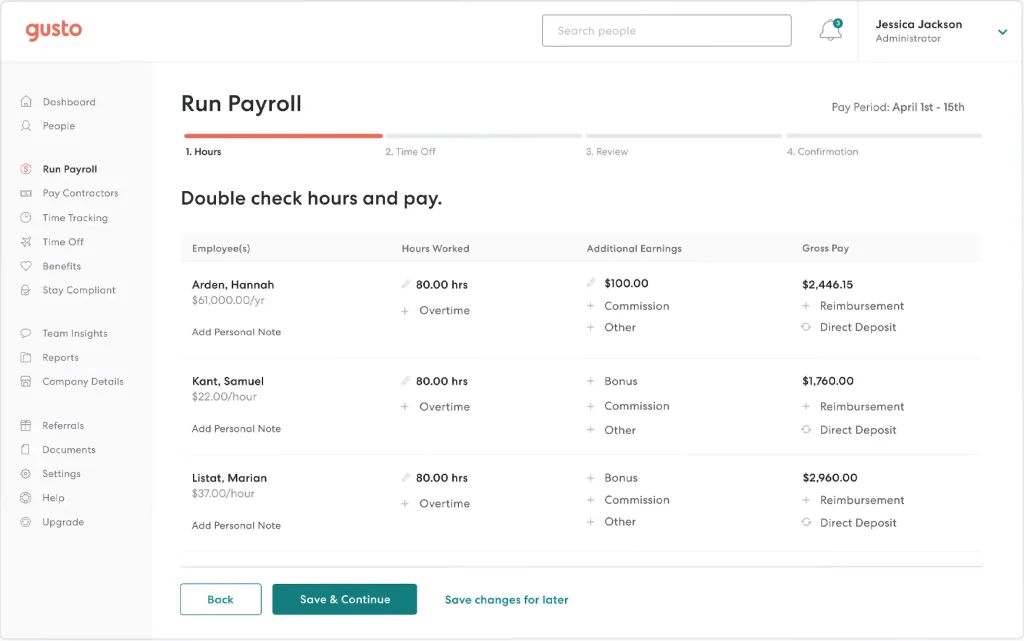
Onboarding comes with custom offer letters and digital signatures built in. Time-off tracking supports tenure accrual, waiting periods, and unlimited PTO policies. Employees get lifetime accounts with digital paystubs, direct deposit, and self-enrollment for benefits.
The filterable payroll reports let you slice data by employee, location, or department without exporting to a spreadsheet. HR analytics give you a real-time picture of headcount costs. Gusto Global, powered by Remote, extends international contractor and EOR payments without a separate tool. The 2026 Spring Showcase added over 70 new features, including HR advisory access on the Simple and Plus plans.
Pros:
- Best-in-class payroll UX: automatic filings, multi-state compliance, and real-time payroll updates
- Transparent, employee-first self-service portal for paystubs, benefits, and PTO
- Gusto Global extends to international contractors and EOR payments without a separate tool
- No minimum employee count; accessible for very small teams
- HR advisory and priority support now available on Simple and Plus plans
Cons:
- Performance management and scheduling tools limited to higher-tier plans
- Primarily built for US-based businesses, global capabilities are newer and less deep than Rippling
- No electronic data interchange (EDI) for benefits data transfers to third-party insurers
User Rating: 4.6/5 (G2, 11,000+ reviews) | 4.6/5 (Capterra, 4200+ reviews)
Pricing: Starts at $49/month base plus $6/employee/month
4. factoHR – Best for Comprehensive Payroll and Compliance Management
I have seen factoHR work well for organizations that need deep payroll processing and statutory compliance built into the same system. It handles tasks that feel painful in other platforms: provident fund management, expense tracking, and loan and advance administration alongside standard onboarding and attendance.
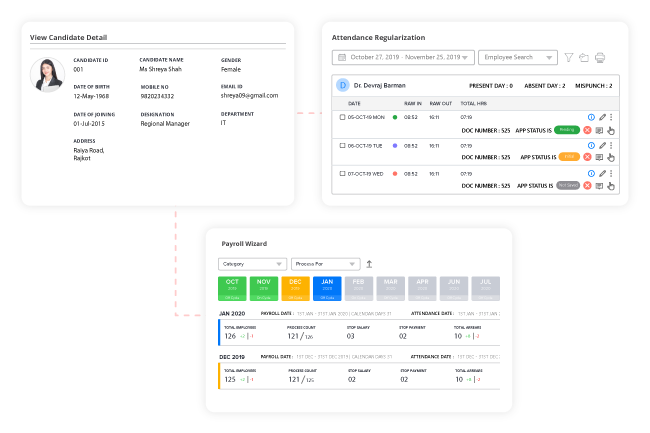
For companies operating across multiple locations with complex statutory requirements, the consolidation genuinely reduces compliance risk. Core HR management and employee self-service are built in, so employees can manage their own attendance, leave, and expense requests from a mobile app without going through HR.
Payroll processing covers statutory compliance from tax deductions to retirement benefits and provident fund solutions. The performance management module includes 360-degree feedback, which is useful for teams running structured review cycles across distributed workforces. Recruitment and onboarding workflows are also included. The mobile app is well-designed and drives consistent usage among field and frontline employees who are not always at a desk.
Pros:
- Handles provident fund, statutory compliance, and payroll in one system without third-party add-ons
- Mobile-first design means employees can manage attendance and requests from any device
- Performance module includes 360-degree feedback, useful for teams running structured review cycles
- Suited for companies with complex multi-location payroll requirements
Cons:
- Interface is less polished compared to BambooHR or Rippling
- Integration ecosystem is smaller than enterprise alternatives
- Primarily optimized for South Asian payroll compliance; global capabilities are limited
User Rating: 4.6/5 (G2, 160+ reviews) | 4.7/5 (Capterra, 10 reviews)
Pricing: Custom Quote
5. SAP SuccessFactors – Best for Global Enterprise HR
SAP SuccessFactors is what I recommend when an organization has outgrown mid-market tools and needs a platform that can handle HR across 50 countries and thousands of employees without falling apart. It is not the easiest system to set up, but the depth it offers across recruiting, learning, performance, and compensation management is unmatched at enterprise scale.
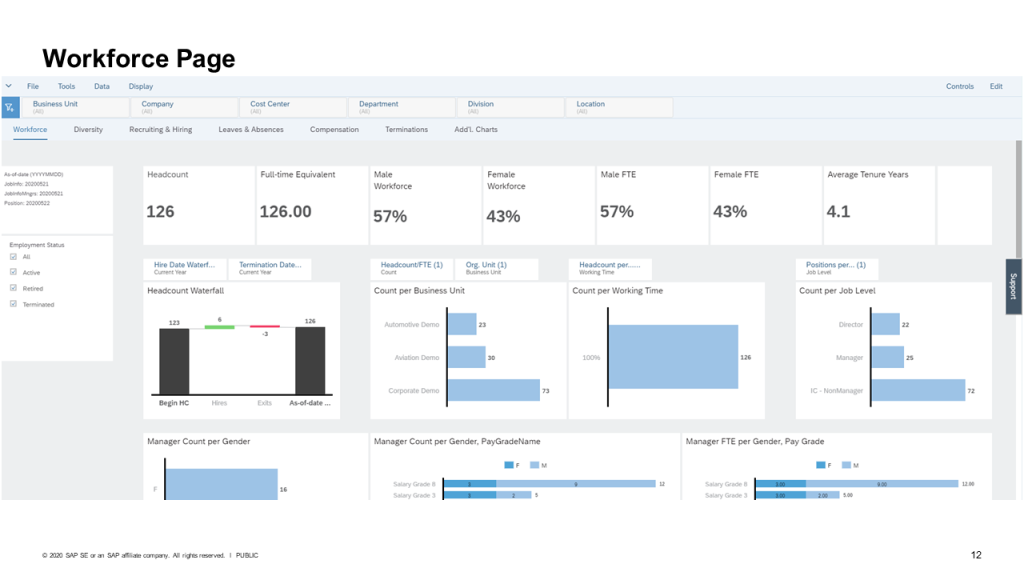
Core HR covers global payroll with localized compliance baked in for each country. The applicant tracking and recruiting module handles sourcing through offer in one workflow. Onboarding is structured and configurable for complex role types. The learning management system supports compliance training and career development at scale.
Performance reviews, continuous feedback, and goal setting are all connected, so managers have full context at review time. Compensation management ties directly to performance outcomes. Mobile access works across all modules with role-based permissions, so a recruiter, a manager, and an HR director each see exactly what is relevant to their work and nothing more.
Pros:
- Built for global enterprise: handles multi-country payroll, compliance, and localized HR workflows
- Deep configurability allows permission control down to individual page types and requisitions
- Comprehensive talent suite covering the full employee lifecycle from hire to retire
- SAP integration means finance and HR data live in the same ecosystem
Cons:
- Significant implementation effort: requires dedicated HRIS administrators and often external consultants
- Steep learning curve; adoption can lag without proper training investment
- Licensing costs are enterprise-level; not suitable for SMBs
User Rating: 4.1/5 (G2, 1600+ reviews) | 4.0/5 (Capterra, 290 reviews)
Pricing: Starts at $1.18 per user/month
6. UKG Pro (UltiPro) – Best for Large Workforce Management
UKG Pro, previously known as UltiPro, is one of the platforms I point large organizations toward when they need HR, payroll, talent management, and workforce analytics in one integrated suite. What sets it apart at scale is the depth of its workforce management tools: scheduling, time and attendance, and compliance management are genuinely built in, not bolted on as afterthoughts.
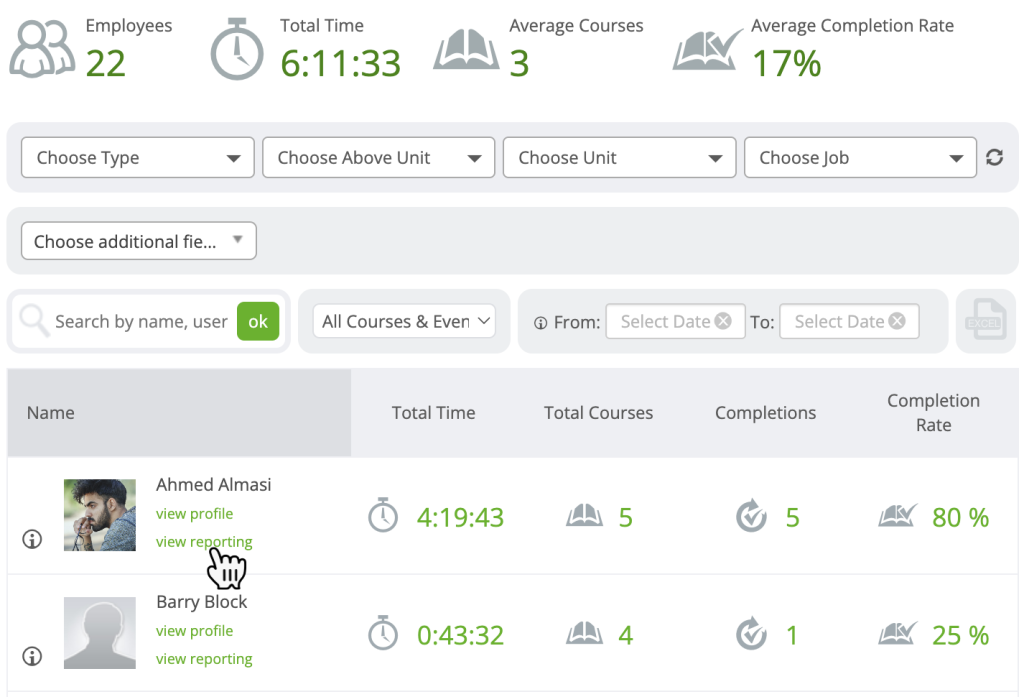
Core HR and payroll run on the same data model, so compensation changes and headcount updates flow through automatically without manual reconciliation. Talent acquisition and structured onboarding connect directly to core HR records from day one. Performance and succession management give HR leaders visibility into development gaps before they become retention problems.
The employee self-service portal covers everything from payslips to PTO requests, reducing routine admin volume significantly. Advanced reporting and workforce analytics surface real-time data across the organization. The “Our purpose is people” culture at UKG is visible in how responsive their support team is post-implementation, which is where many enterprise HRIS deployments fall short.
Pros:
- Full HR, payroll, and workforce management integrated natively, not through add-ons
- Recognized for exceptional post-sale support quality
- Scalable across a wide range of industries and company sizes
- Strong analytics and reporting for workforce data
Cons:
- Complex initial implementation: plan for extended rollout timelines
- Higher cost structure; best value realized at larger headcounts
- Some users find the configuration process requires dedicated HR system administrators
User Rating: 4.3/5 (G2, 2200+ reviews) | 4.3/5 (Capterra, 720+ reviews)
Pricing: Custom Quote
7. Workday – Best for Finance-HR Integrated Enterprises
Workday is the system I see most often at organizations where finance and HR need to operate from the same data model. It handles HR, payroll, financial planning, analytics, and talent management in a single cloud platform, which eliminates the reconciliation work that happens when HR and finance live in separate systems. HRM and workforce management sit alongside full payroll with multi-country compliance.
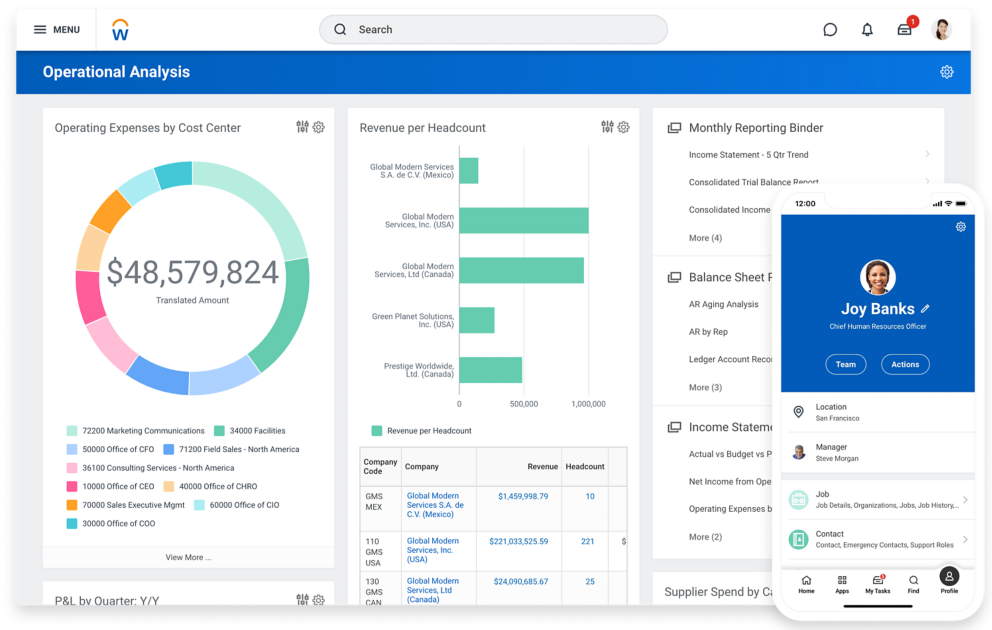
Recruitment and talent management cover the full hiring lifecycle. Compensation and benefits management connect directly to performance outcomes, so compensation planning is grounded in real data. Financial planning and accounting integration means workforce costs feed directly into financial forecasts without manual exports.
Advanced reporting and analytics are customizable by user role, giving executives, HR business partners, and department heads different views of the same underlying data. Time and attendance tracking is genuinely intuitive for employees, which drives the kind of adoption that makes the data reliable. A learning management system rounds out a platform designed to manage the complete employee lifecycle in one place.
Pros:
- Only major platform that natively integrates HR with financial management and planning
- Real-time analytics across HR and finance with customizable dashboards
- Handles global compliance and multi-entity payroll at scale
- Strong adoption reported for time-tracking features across distributed teams
Cons:
- High implementation cost and complexity: expect a 6 to 12-month rollout
- Requires ongoing system administration; not self-service for smaller HR teams
- Reporting tools can require technical knowledge to configure for non-standard queries
- Enterprise pricing puts it out of reach for most SMBs
User Rating: 4.1/5 (G2, 1600+ reviews) | 4.5/5 (Capterra, 1700+ reviews)
Pricing: Custom Quote
8. HiBob (Bob) – Best for Mid-Market Teams Prioritizing Employee Experience
I have watched mid-sized teams completely transform how engaged their employees are with HR processes after switching to HiBob. Unlike legacy platforms that feel like database tools, Bob is built with a social, consumer-grade interface: think employee profiles, clubs for interest groups, and a news feed that actually gets used. Behind the design, the core HR and performance capabilities are solid.
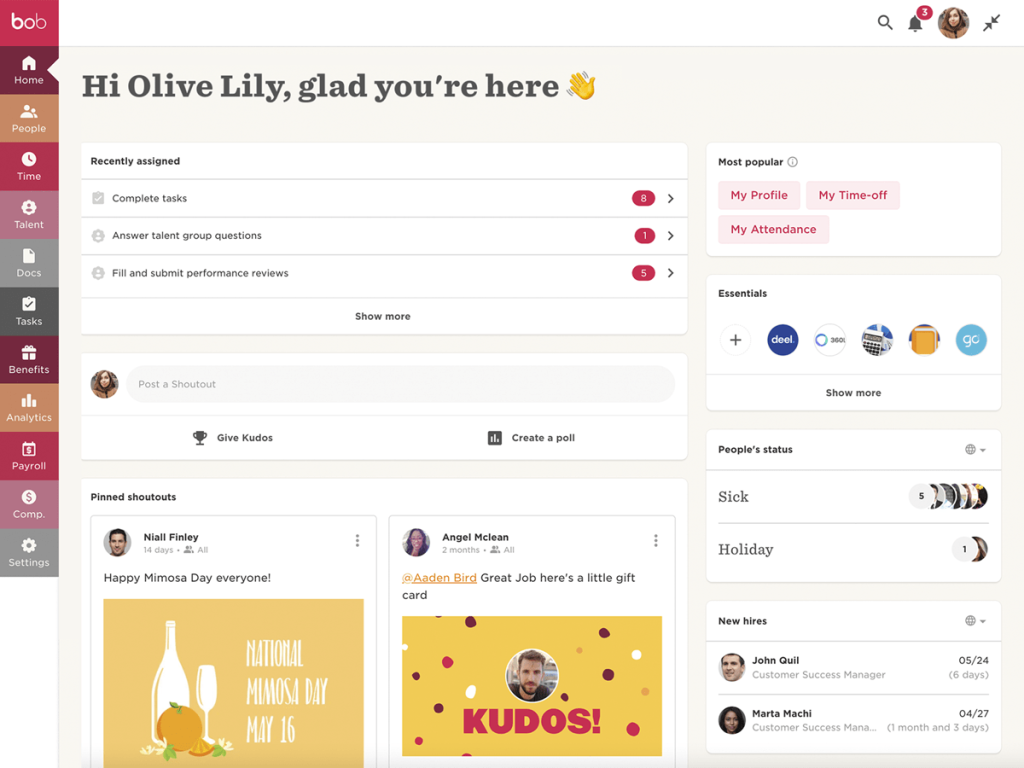
Core HR covers employee profiles, org charts, and document management with flexible custom fields and automated workflows for promotions, relocations, and role changes. Onboarding and offboarding workflows are configurable without IT support. Time-off management and attendance tracking work across multiple time zones and leave policies.
Performance management includes continuous feedback loops and goal tracking tied directly to review cycles. Employee engagement surveys and pulse checks surface team health data before issues escalate. People analytics give HR leaders real-time workforce insights without manual reporting. Global HR integrations connect to major payroll providers, including ADP, Deel, and others across 70+ countries. It is a smart choice for companies with between 50 and 500 employees.
Pros:
- Modern, social-style interface drives high employee adoption without training
- Combines core HR, performance, and engagement tools in one platform
- Strong people analytics give HR leaders real-time workforce insights
- Well-suited for distributed or remote-first teams
- 70 to 80% positive sentiment among HR practitioners on Reddit and Quora; most cited for UX and workflow quality
Cons:
- ATS and payroll modules are newer and less mature than core HR features
- Pricing is not publicly listed; it requires a sales conversation for any size team
- Can feel overwhelming for very small teams that only need basic HRIS functions
User Rating: 4.5/5 (G2, 2500+ reviews) | 4.6/5 (Capterra, 175+ reviews)
Pricing: Custom Quote
9. Paycor – Best for US Mid-Market HR and Payroll
Paycor is the platform I recommend to US-based organizations that need a solid, scalable HCM without enterprise complexity. It handles the full employee lifecycle from recruiting and onboarding to payroll, compliance, and performance management, and its mobile and tablet kiosk apps are genuinely useful for teams with frontline or field workers.
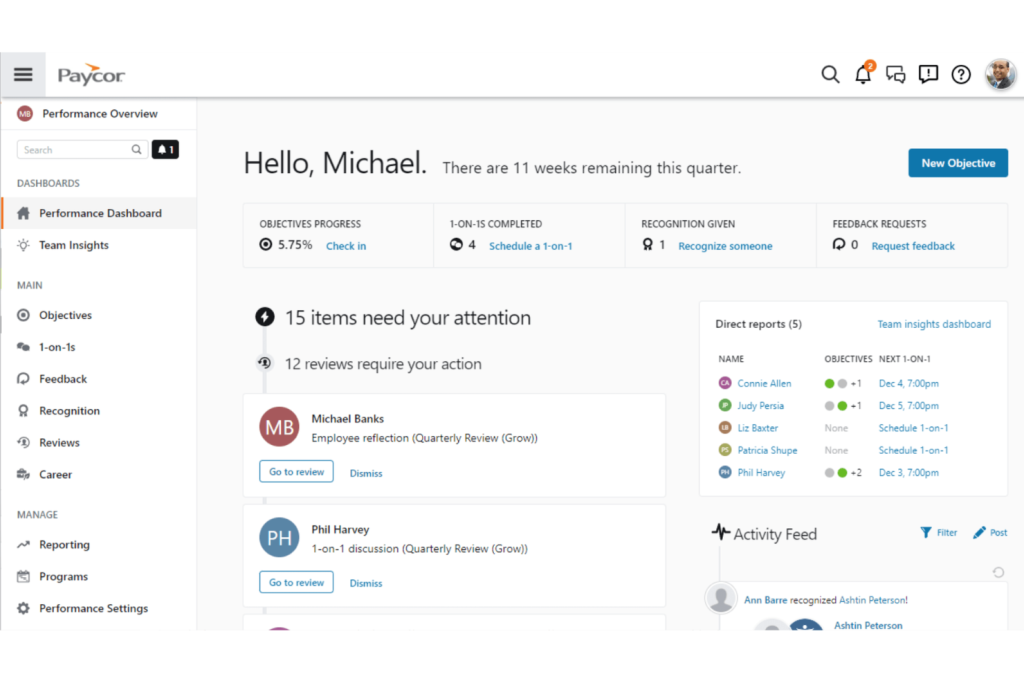
Full-service US payroll comes with automated tax filings and E-Verify built in. Talent acquisition covers applicant tracking and structured onboarding in one workflow. Time and attendance tracking supports badge, PIN, and biometric clock-in options, and managers can submit group punches for deskless teams, which is a feature I have not seen matched anywhere else in this segment. Benefits administration includes guided open enrollment.
Performance management connects to employee development paths and a compliance course library through the learning management module. Workforce analytics include compensation benchmarking with industry data, not just internal comparisons. Paycor is now a Paychex company, which adds expanded compliance and tax resources to an already capable mid-market platform.
Pros:
- Unified HR and payroll platform built for US-based SMBs scaling to mid-market
- Best-in-class mobile support: managers can approve payroll and time-off from any device
- Group punch capability for frontline workers across multiple locations
- Workforce analytics include industry benchmarks, not just internal data
- Now a Paychex company: benefits from expanded compliance and tax resources
Cons:
- Interface design is more dated than modern platforms like HiBob or Rippling
- Some users report friction when switching between product modules
- Customer support inconsistency reported around payroll error resolution
User Rating: 3.9/5 (G2, 1300+ reviews) | 4.3/5 (Capterra, 3,000+ reviews)
Pricing: Starts at $99 base plus $5 per employee per month
10. Deel HR – Best for Global Teams and International Hiring
Deel HR is the platform I recommend to any HR manager whose workforce spans multiple countries or is growing in that direction fast. It centralizes international hiring, contractor payments, employer-of-record (EOR) services, and global compliance for 150+ countries inside one system. What used to require setting up local entities, hiring local payroll vendors, and managing compliance across jurisdictions is now handled inside a single dashboard.
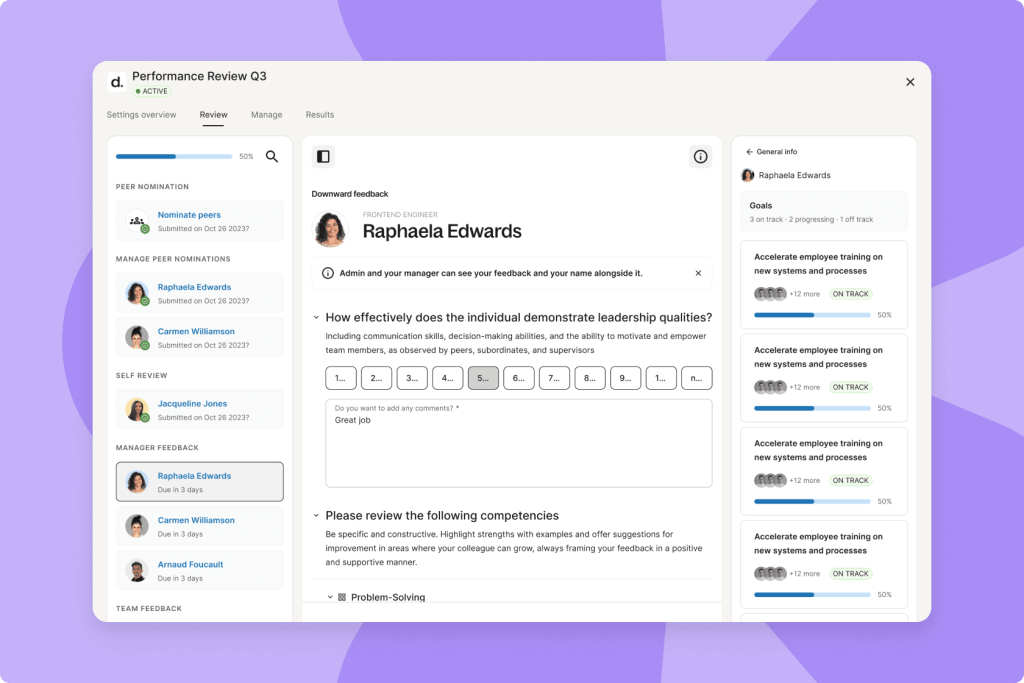
Global payroll and contractor payments run across 150+ countries with automatic tax withholding and legally reviewed, localized contracts generated for each hire. EOR services let you employ people in new markets without incorporating locally. Core HR covers employee profiles, org charts, and document management. Onboarding and offboarding workflows are built in.
Benefits administration is country-specific, covering local insurance options and stipends. An AI-powered ATS for candidate tracking and hiring was added in 2026, making end-to-end hiring possible without leaving the platform. It integrates with BambooHR, Workday, Greenhouse, HiBob, Xero, QuickBooks, and Okta, so it layers cleanly onto an existing HRIS stack.
Pros:
- Single platform for global hiring, payroll, and compliance: no local entities required
- Country-specific cost comparisons and required benefits visible before hiring
- Legal contracts automatically generated and compliant for each country
- AI-powered ATS built in for end-to-end hiring within the same system
- Integrates with existing HRIS tools so you can layer it onto BambooHR or Workday
Cons:
- Primarily built for global hiring scenarios, not the strongest choice for purely domestic teams
- Core HR features are less mature than dedicated HRIS platforms like BambooHR
- Cost structure favors larger teams using EOR and global payroll at scale
User Rating: 4.8/5 (G2, 1300+ reviews) | 4.9/5 (Capterra, 4,200+ reviews)
Pricing: Starts at $125/employee/month
How I Chose These Top HRIS Systems
When I evaluate HRIS platforms for this list, I do not just rely on feature lists or marketing claims. I look at how these tools actually perform in real-world HR environments. Here is the framework I used to make sure every recommendation of the above HRIS systems list is practical, reliable, and worth considering:
- User Reviews and Ratings: I start by looking at real user feedback from platforms like G2 and Capterra. This gives me a clear picture of how HR teams actually experience the tool day to day, what they love, and where it falls short.
- Core Features and Functionality: I focus on what truly matters in an HRIS. This includes employee records management, onboarding workflows, payroll, leave tracking, performance management, reporting, and integrations. If a platform cannot handle these well, it does not make the cut.
- Ease of Use: I pay close attention to how intuitive the platform feels for both HR admins and employees. A tool might be powerful, but if teams struggle to adopt it, it defeats the purpose. Clean interface, simple navigation, and quick onboarding are non-negotiable for me.
- Customer Support: From my experience, implementation is where many HRIS projects fail. I evaluate how responsive and helpful the support team is, especially during setup and ongoing use. Fast, reliable support makes a real difference in adoption and long-term success.
- Value for Money: I compare pricing with what the tool actually delivers. This is not about picking the cheapest option, but about whether the features, flexibility, and performance justify the cost for the business size it is designed to serve.
- Personal Experience and Expert Insights: Wherever possible, I rely on my own hands-on experience with these platforms. I also factor in insights from HR leaders, people ops teams, and HR managers who use these systems in real environments. This helps me go beyond surface-level reviews and highlight what actually works when the demo is over.
How to Avoid the Common Mistakes When Implementing HRIS
Industry data shows companies spend an average of 15 weeks selecting an HRIS. The implementation that follows is where most projects either succeed or stall. Here is a straightforward framework I have seen work:
- Audit and export your current data: Before you touch a new system, clean up what you have. HRIS data quality follows a simple principle: if your source data is wrong, your new system will be wrong faster. Export employee records, clean up duplicates, and standardize job titles and department names.
- Define your configuration requirements: Map your current HR workflows: approval chains, leave policies, and onboarding task sequences. Most platforms require these to be configured upfront. Missing this step is the most common cause of post-launch rework.
- Request a sandbox environment: Every vendor offers this. Test your exact workflows before you go live, not hypothetical scenarios from a demo. Pay particular attention to payroll runs, leave request approvals, and manager-level reporting access.
- Run a pilot team first: Rather than a company-wide rollout, go live with one department first. The issues you catch in a 10-person pilot are far cheaper to fix than the ones that surface across 200 employees simultaneously.
- Plan change management, not just training: Low adoption is the most common HRIS implementation failure mode. Employees and managers need to understand why the system is changing, what is easier for them, and who to contact when something goes wrong. A one-page guide and a 30-minute walkthrough go further than a full training program that nobody attends.
- Assign a dedicated HRIS administrator: Community research consistently confirms this: organizations that invest in a dedicated person to maintain, audit, and update the system see dramatically better data quality and adoption rates than those that treat it as a shared responsibility.
The Right HRIS Can Transform Your Workplace
Choosing the right HRIS can transform the way your organization manages its workforce. From automating payroll and attendance to simplifying onboarding, performance management, and compliance, the right platform helps HR teams spend less time on administrative tasks and more time supporting employees and driving business growth.
The best HRIS for your business depends on factors such as your company size, budget, existing technology stack, and long-term HR goals. Start by identifying the features that matter most to your organization, compare your options carefully, and choose a solution that can scale as your business grows.
A well-implemented HRIS is more than just an HR tool. It is an investment in operational efficiency, better employee experiences, and smarter workforce management.
Frequently Asked Questions
What is the difference between an HRIS and an HRMS?
An HRIS (Human Resource Information System) primarily focuses on managing employee data and core HR functions such as payroll, attendance, and benefits. An HRMS (Human Resource Management System) often includes additional features like talent management, performance reviews, and workforce planning. However, the terms are frequently used interchangeably.
How long does HRIS implementation take?
Implementation usually takes 4 to 8 weeks for small businesses, 6 to 12 weeks for mid-market organizations, and 6 to 18 months for enterprise deployments. Data migration quality and workflow complexity are the biggest factors affecting implementation time.
What is the difference between cloud-based and on-premise HRIS?
Cloud-based HRIS solutions are hosted by the vendor, update automatically, and support remote access with minimal IT involvement. On-premise HRIS runs on your own servers, offering greater control but requiring higher upfront costs, manual updates, and ongoing IT maintenance.
Can a small business benefit from an HRIS?
Yes. An HRIS helps small businesses automate onboarding, payroll, leave tracking, employee records, and compliance tasks. This reduces administrative work, minimizes errors, and allows lean HR teams to focus on employee support instead of repetitive manual processes.
Do I need an HRIS if I already use payroll software?
Yes. Payroll software manages salaries and taxes, while an HRIS stores employee records, onboarding, leave, performance, and benefits data. Using both together, or an HRIS with built-in payroll, eliminates duplicate data entry and improves accuracy.
What security and compliance features should I look for in an HRIS?
Choose an HRIS with SOC 2 Type II certification, GDPR compliance, role-based access controls, audit logs, data encryption, and automated compliance updates. These features help protect employee data while meeting regulatory requirements across different regions.
How do I migrate from spreadsheets to an HRIS without losing historical data?
Clean and standardize your spreadsheet data before importing it into the HRIS. Use the platform's bulk import tools, validate records after migration, and run both systems in parallel briefly to confirm data accuracy before retiring your spreadsheets.
What is the difference between HRIS, HRMS, and HCM?
An HRIS manages core HR tasks like employee records, onboarding, leave, and reporting. An HRMS includes HRIS features plus payroll and talent management. HCM is the most comprehensive, adding workforce planning, succession planning, compensation, and advanced analytics. Choose based on your organization's size, complexity, and long-term HR goals.
Ready to 3x Your Teams' Performance?
Use the best performance management software to align goals, track progress, and boost employee engagement.