
If you asked ten managers how they know work is getting done, you would probably get ten very different answers. Some rely on instinct. Some trust reports. Some wait for problems to surface. That gap between effort and clarity is exactly where most teams struggle.
I have spent years reviewing, implementing, and observing workplace tools across growing teams, regulated environments, and remote-first organizations. I have evaluated dozens of platforms, spoken with HR leaders, and seen what works after the software is switched on.
In this guide, I break down the best employee monitoring & tracking software with a practical lens.
You will learn:
- Which tools solve which problems
- Where monitoring helps and where it hurts
- How different teams actually use these platforms
By the end, you will know what to track, what to ignore, and how to choose the perfect tool with confidence. Here’s a sneak peek at the tools:
| Tool Name | Best Use Case | Pricing Info |
| PeopleGoal | Fully Customizable Platform for Performance Reviews, OKRs & Employee Development | FREE 14-day trial. Paid plans start at $4/user/month |
| Monitask | Tracking remote employee productivity | Starts at $6.49/month per user. |
| EmpMonitor | Detailed insider threat activity audits | Starts at $4.66/user/month. |
| Apploye | Small teams needing timeproof timesheets | Starts at $4.50/user/month. |
| Time Champ | Automated productivity tracking | Starts at $3.90/user/month. |
| TMetric | Employee productivity management | Starts at $4.17/seat/month. |
| Clockify | Project-based time tracking workflows | Starts at $5.49/seat/month. |
| ActivTrak | Analyzing workforce productivity behavior trends | Starts at $10/user/month. |
| Veriato | High-risk environments requiring forensic monitoring | Starts at $15/user/month. |
| Memtime | Automatic tracking across apps | Starts at €12/user/month. |
| CurrentWare | Tracking employee productivity & DLP for compliance critical Orgs | Starts at $6 per user/month |
Top Employee Monitoring & Tracking Software
Check out a detailed view of the best employee monitoring and tracking software tools that stand out for very different reasons.
This list reflects practical use cases across team sizes, work models, and management styles, helping you compare tools based on how they actually support work.
Some monitoring features described below may be subject to local labor laws and consent requirements, and organizations should ensure legal compliance before deployment.
1. PeopleGoal
Best for Fully Customizable Performance Reviews, OKRs & Employee Development
I used PeopleGoal extensively in one mid-sized organization where performance conversations had become vague and delayed. The leadership team wanted clearer accountability without turning reviews into a once-a-year ritual. This employee monitoring and tracking software gave us a practical structure to fix that.
We began by setting cascading goals across teams. What surprised me was how quickly employees started referencing company objectives and key results in one-on-one meetings. Continuous feedback became part of weekly check-ins rather than something saved for formal reviews.
What I appreciated most was how reviews felt grounded in evidence. Goals, feedback, and progress notes were already there when review time came. Managers spent less time recalling events and more time discussing outcomes and growth.
The reporting helped leadership spot stalled goals early, which allowed timely course correction. Its AI-powered performance management capabilities helped surface performance trends, summarize feedback, and reduce the manual effort involved in preparing review cycles.
Pros:
- Tracks employee goals and progress continuously, enabling managers to monitor measurable employee performance outcomes rather than relying only on logged working hours.
- Supports continuous feedback, regular check-ins, and ongoing goal tracking, enabling managers to monitor employee performance and address issues before formal review cycles.
- Measures employee engagement through structured eNPS surveys, helping HR teams identify morale trends and engagement risks early.
- Monitors skill development and competency growth across roles, allowing organizations to track learning progress and capability improvement over time.
- Tracks HR workflows such as performance reviews and onboarding processes, providing real-time visibility into task completion and workflow delays.
- Offers customizable performance workflows for reviews, approvals, onboarding, and goal tracking, allowing HR teams to tailor processes to different roles and departments.
- Maintains detailed audit trails of all user actions, ensuring transparency, accountability, and compliance across employee performance processes.
Cons:
- No downloadable or on-premise version.
- Dark user interface option is not available.
Pricing: FREE 14-day trial. Paid starts at $4/user/month.
2. Monitask
Best for Tracking Remote Employee Productivity
I worked with a fully remote organization that adopted Monitask during a rapid expansion phase. Managers were struggling to understand work patterns across time zones, not to control employees but to support them better.
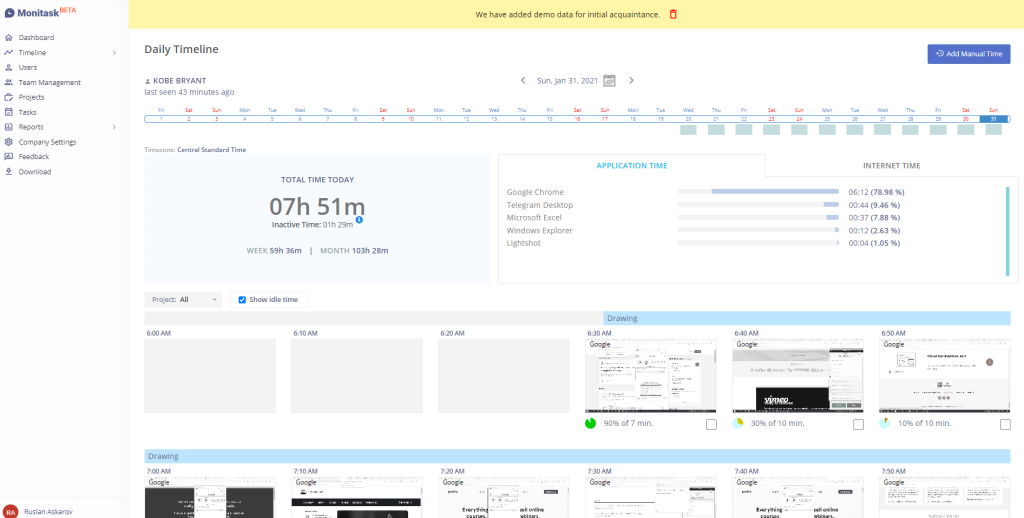
Monitask’s activity tracking revealed something unexpected. One team appeared less productive on paper, yet activity logs showed frequent task switching caused by overlapping meetings. Once this was visible, leadership restructured schedules and reduced interruptions.
The screenshots and activity summaries were used selectively. Managers focused on trends rather than individual moments. That approach preserved trust while still creating clarity. Employees appreciated that conversations became more specific and less assumptive.
What stood out was how Monitask helped separate effort from inefficiency. The organization stopped equating long hours with high output. For remote teams navigating scale and structure, Monitask worked best as a visibility tool that informed better management decisions rather than enforcing control.
Pros:
- Operates in optional stealth mode, allowing employee monitoring to run quietly in the background without visible application indicators.
- Captures automated screenshots at predefined intervals, helping managers visually verify work activity and task engagement.
- Records application and website usage throughout the workday, enabling identification of productivity patterns and digital distractions.
- Tracks IP addresses and VPN usage to validate login locations and detect potential attendance or security anomalies.
- Sends real-time alerts for inactivity and even usage-based alerts, helping managers respond quickly to productivity issues.
Cons:
- Stealth monitoring capabilities may raise privacy or legal concerns depending on regional regulations.
- Offers limited tools for broader HR performance management or employee development tracking.
Pricing: Starts at $6.49/month/per user. Billed annually.
3. EmpMonitor
Best for Detailed Insider Threat Activity Audits
Someone I know well implemented EmpMonitor in a single financial services organization with strict compliance requirements. Their primary concern was insider risk, not productivity.
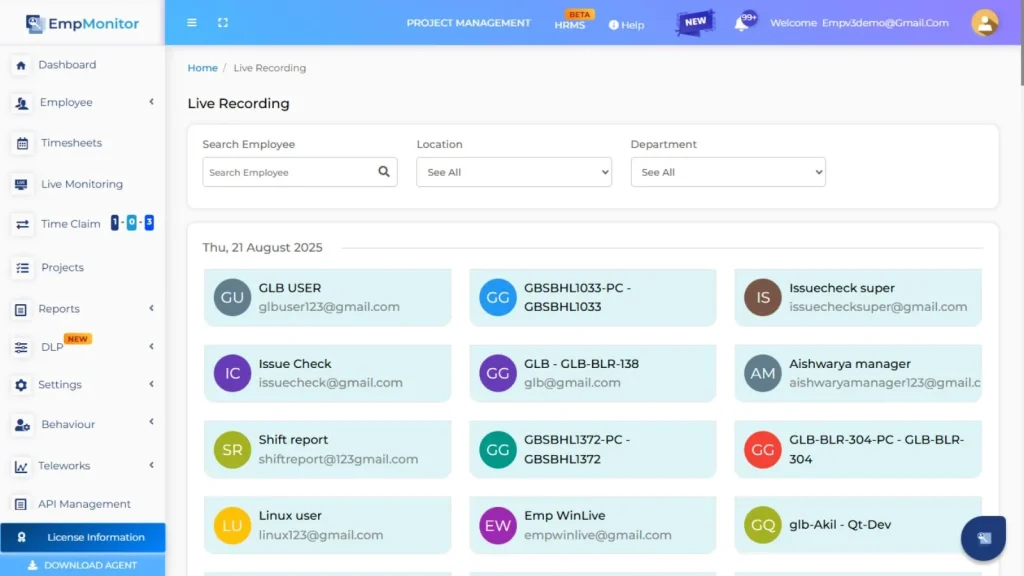
EmpMonitor proved critical during an internal audit triggered by unusual data access patterns. The platform’s detailed activity logs made it possible to reconstruct exact timelines, including file access, application usage, and external device connections. This eliminated speculation and reduced investigation time significantly.
What impressed them was the level of granularity. Every action had context. During compliance reviews, auditors accepted reports without pushback because the data was precise and verifiable.
They emphasized that EmpMonitor required clear internal policies before rollout. Once those were in place, the tool functioned as a safeguard rather than a point of tension. For organizations operating in high-risk environments, EmpMonitor delivered clarity when clarity mattered most.
Pros:
- Monitors complete computer activity, including application usage, website visits, and idle periods, to provide a comprehensive productivity overview.
- Automatically tracks employee attendance and working hours, generating detailed daily and weekly productivity summaries.
- Combines task assignment with activity monitoring, allowing managers to link employee actions directly to assigned responsibilities.
- Captures periodic screenshots that provide visual context behind recorded work activity and time usage.
- Generates detailed productivity analytics reports that highlight efficiency trends, behavioral patterns, and performance gaps.
Cons:
- Does not offer a native mobile application for monitoring employees on handheld devices.
- Interface and feature depth may feel complex for small teams with simple monitoring needs.
Pricing: Starts at $4.66/user/month. Billed annually.
4. Apploye
Best for Small Teams Needing Timeproof Timesheets
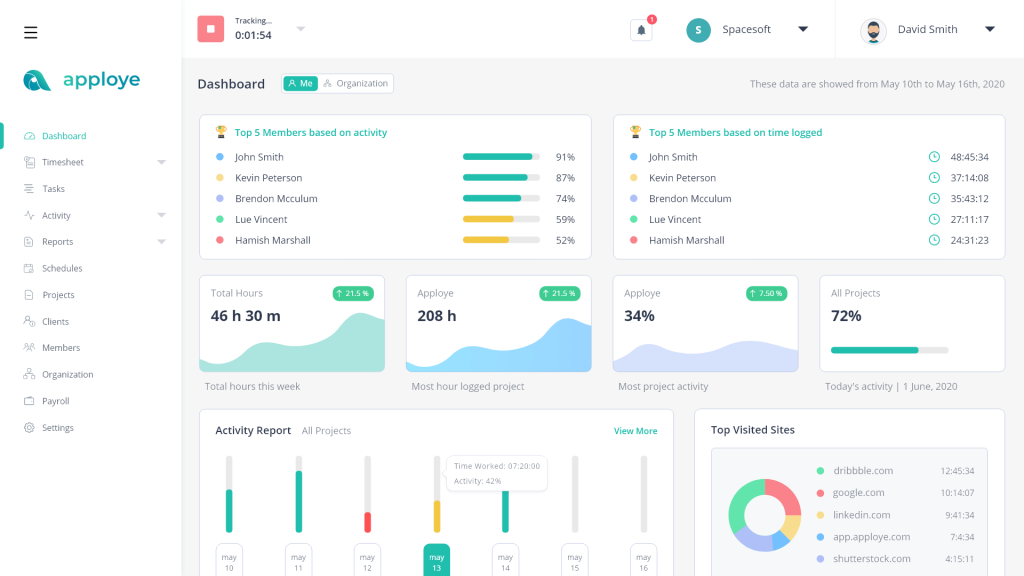
I observed Apploye in use within a small digital agency that billed clients hourly and struggled with disputed timesheets. Manual tracking had become unreliable and stressful for the team.
Apploye’s timeproof feature changed that dynamic. During one client disagreement, tracked time backed by activity proof resolved the issue immediately. There was no debate, only shared visibility.
The team appreciated how easy it was to adopt. No long onboarding, no complex rules. Employees tracked time naturally, and managers reviewed reports without chasing updates. Project-level breakdowns made billing transparent and defensible.
For this organization, Apploye worked because it respected scale. It added accountability without overhead. For small teams where accuracy matters but complexity does not, Apploye fit neatly into daily operations.
Pros:
- Provides live screenshots and optional screen capture features, allowing managers to view employee work activity in real time.
- Measures keyboard and mouse activity levels to estimate engagement without recording actual keystroke content.
- Tracks application and website usage with real-time dashboards that clearly show where employee attention is focused.
- Supports GPS and location tracking, making it suitable for monitoring field employees and remote staff movement.
- Combines employee monitoring with scheduling, budgeting, payroll, and invoicing tools within a single unified platform.
Cons:
- Extensive monitoring options may feel intrusive if expectations are not clearly communicated to employees.
- Feature-rich interface may require structured onboarding for new users.
Pricing: Starts at $4.50/user/month. Billed annually.
5. Time Champ
Best for Automated Productivity Tracking
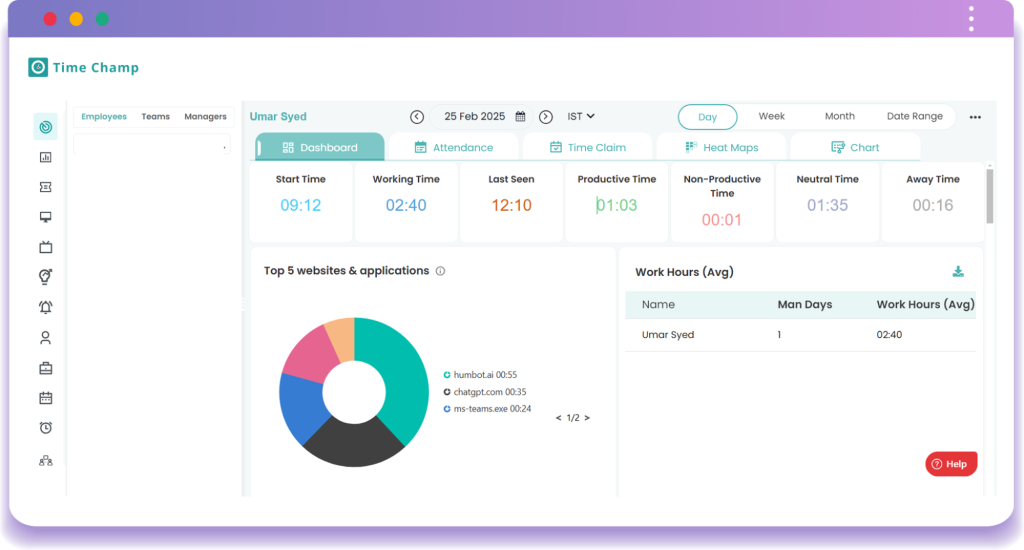
A former colleague introduced Time Champ into a single large operations team that struggled with inconsistent output. Their experience was practical and revealing. Time Champ’s automated productivity metrics surfaced patterns no one had noticed before.
In one case, the data showed peak productivity during late mornings, contradicting long-held assumptions about early starts. Managers adjusted schedules, and output improved within a month. Automated categorization of productive and non-productive activities removed the need for manual interpretation.
What my colleague valued most was reporting depth. Productivity scores, application usage, and trend comparisons made it possible to track improvement over time instead of reacting to daily swings. They did note that the setup required care. Rules had to reflect real work.
For organizations seeking system-level insight without constant oversight, Time Champ rewarded thoughtful configuration and patient use.
Pros:
- Automatically tracks work time and application usage without requiring employees to manually start or stop timers.
- Categorizes employee activities into productive, neutral, and unproductive segments for clearer efficiency analysis.
- Manages attendance and generates automated timesheets, helping reduce payroll errors and manual HR effort.
- Tracks time spent on tasks and projects, enabling comparisons between planned timelines and actual execution.
- Provides real-time dashboards and detailed reports that display team productivity and work distribution clearly.
Cons:
- Privacy customization options are limited compared to lighter or privacy-first monitoring tools.
- Reporting depth may feel overwhelming for very small teams or startups.
Pricing: Starts at $3.90 per user/month. Billed annually.
6. TMetric
Best for Employee Productivity Management
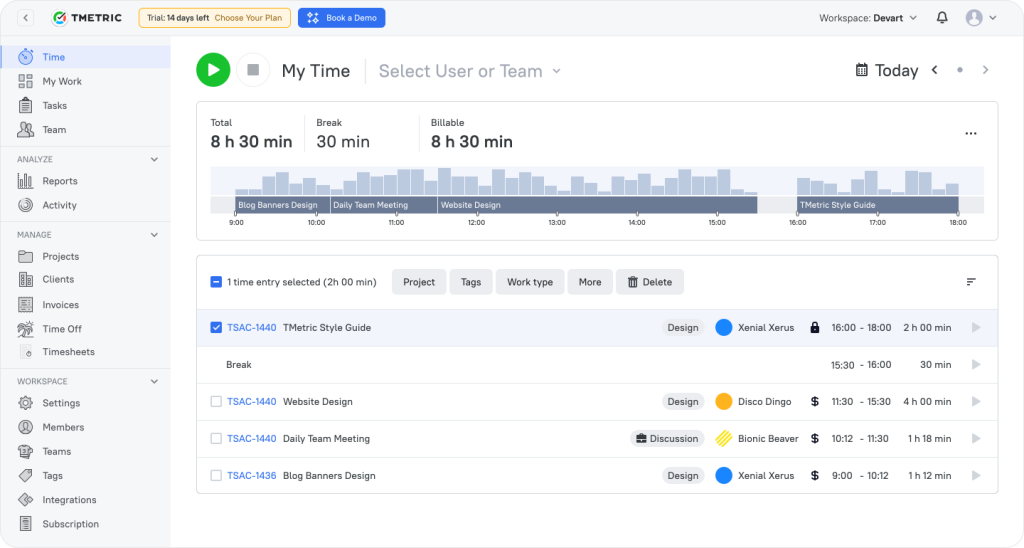
I worked with a consulting firm that adopted TMetric to better understand how effort translated into outcomes. The goal was not surveillance, but smarter workload distribution.
TMetric made time visible at the task level. When reviewing quarterly reports, leadership noticed senior consultants spending excessive time on internal coordination. That insight led to process changes and better delegation.
The tool’s strength was its clarity. Time data connected directly to tasks and projects, which made discussions objective rather than personal. Reports were easy to share and interpret, especially during planning sessions.
For this organization, TMetric supported productivity management by improving decisions, not policing behavior. It fit naturally into professional workflows where trust already existed.
Pros:
- Tracks time across desktop, web, mobile, and browser extensions while integrating smoothly with popular work tools.
- Displays live team dashboards showing current employee tasks, activity status, and total logged hours.
- Monitors application and website usage with optional screenshot capture for additional accountability.
- Tracks project budgets and billable rates while sending alerts when cost or hour limits are approaching.
- Includes built-in leave and PTO tracking that integrates directly into employee timesheets.
Cons:
- Screenshot monitoring is limited when compared to surveillance-focused employee tracking tools.
- Advanced budgeting and analytics features require higher-tier subscription plans.
Pricing: Starts at $4.17/seat/month. Billed annually.
7. Clockify
Best for Project-Based Time Tracking Workflows
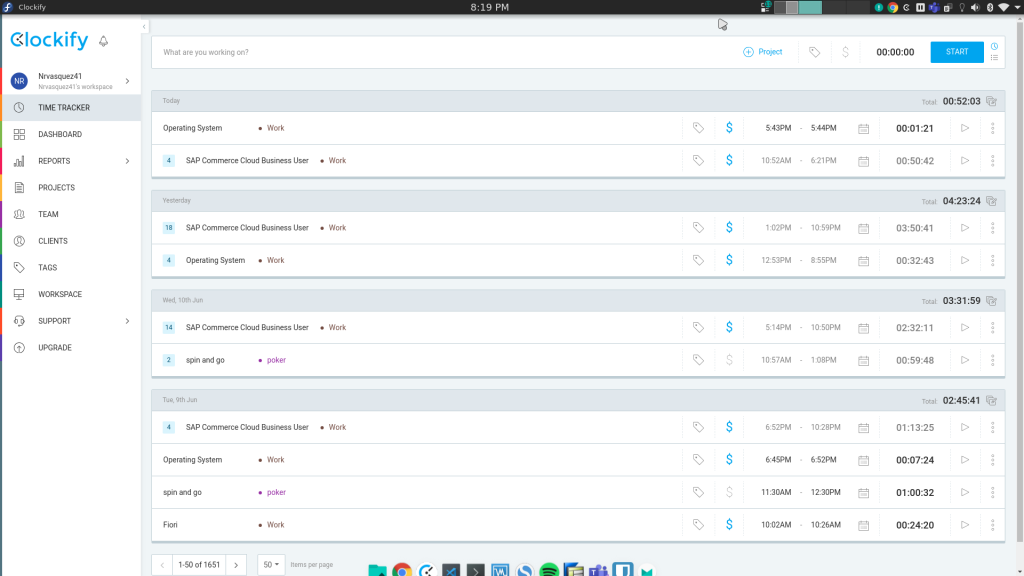
Clockify was used by a single software development firm I worked closely with. Their main challenge was inaccurate project estimates caused by incomplete historical data.
Clockify solved this by making time tracking part of daily work. Developers tracked time by task, and over several months, the organization built a reliable data set. Sprint planning became more realistic, and deadlines stabilized.
The flexibility helped adoption. Some employees preferred timers, others manual entries. Both worked without friction. Managers reviewed summaries without drilling into unnecessary detail. For project-driven teams, Clockify delivers consistency without burden. It made time tracking routine rather than intrusive.
Pros:
- Offers unlimited users and projects through a permanently free time tracking plan suitable for growing teams.
- Supports multiple tracking methods, including timers, timesheets, calendars, kiosks, and automatic tracking.
- Detects idle time and sends reminders to improve the accuracy of recorded work hours.
- Includes a built-in Pomodoro timer to encourage focused work sessions and healthy break habits.
- Enables timesheet approvals and maintains audit logs to track edits and ensure accountability.
Cons:
- Productivity insights are less granular than those offered by dedicated employee monitoring platforms.
- Screenshot and advanced monitoring features require paid upgrades.
Pricing: Starts at $5.49/seat/month. Billed annually.
8. ActivTrak
Best for Analyzing Workforce Productivity Behavior Trends
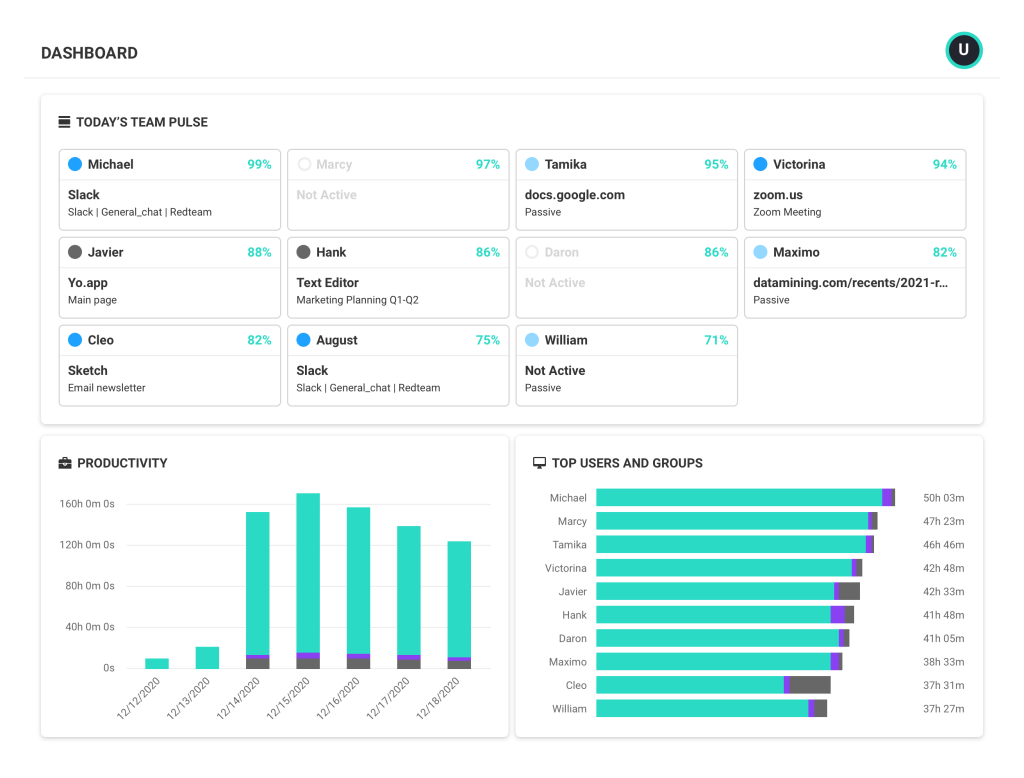
Someone I know well deployed ActivTrak in a single hybrid organization, adjusting to new work patterns. The leadership team wanted insight into behavior trends, not individual performance enforcement.
ActivTrak revealed a steady rise in after-hours work. Instead of praising it, leadership investigated further. Trend reports showed meeting overload pushing focused work into evenings. Policies were adjusted, and overtime was declined.
What made ActivTrak effective was its emphasis on patterns. Data was aggregated and anonymized where possible, which kept discussions constructive. For organizations focused on long-term workforce health and productivity trends, ActivTrak supported informed decisions without creating fear or resistance.
Pros:
- Allows highly customizable monitoring rules tailored to departments, job roles, and organizational privacy policies.
- Supports anonymized data views that help analyze productivity trends without exposing individual employees.
- Provides detailed productivity analytics that highlight workflow inefficiencies and time allocation issues.
- Uses behavioral analysis to detect productivity declines and identify potential burnout pattern proactively.
- Avoids intrusive surveillance methods such as keystroke logging or message content recording.
Cons:
- Limited options for capturing visual evidence compared to screenshot-heavy monitoring tools.
- Advanced analytics may require experienced interpretation to drive meaningful action.
Pricing: Starts at $10/user/month. Billed annually.
9. Veriato
Best for High-Risk Environments Requiring Forensic Monitoring
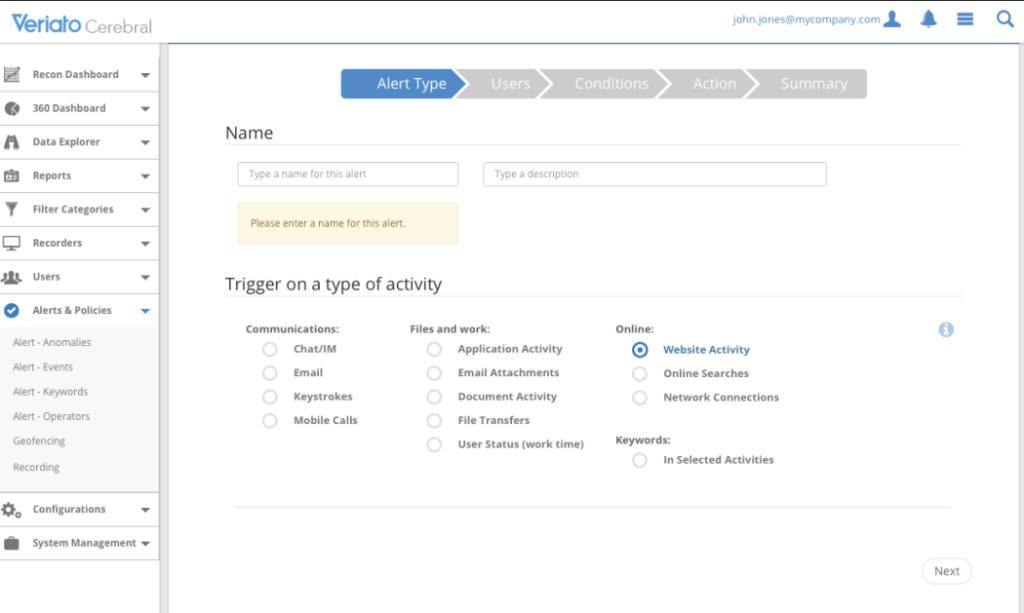
I worked with Veriato in a compliance-heavy organization where data security incidents carried serious legal and operational consequences. This was not about routine employee monitoring. The need was forensic clarity when something went wrong.
Veriato proved its value during an internal investigation involving unusual data access patterns. Session recordings and behavioral alerts allowed us to reconstruct events with precision. File movements, application usage, and access timing were clearly documented, which removed speculation from the process. At one point, a senior leader remarked that decisions finally felt evidence-led rather than reactive.
What stood out was how defensible every conclusion became. We invested time upfront in clearly communicating monitoring policies, which helped employees understand boundaries and intent. That transparency reduced friction during investigations.
In environments with low risk tolerance, Veriato functioned as a safeguard. It provided certainty in situations where assumptions could have caused lasting damage.
Pros:
- Records complete keystroke activity, offering deep visibility into user behavior for security investigations.
- Monitors email and chat communications across platforms to support compliance and insider threat detection.
- Tracks file access, downloads, deletions, and transfers to prevent data theft or unauthorized sharing.
- Logs network activity and bandwidth usage to identify suspicious connections or unauthorized applications.
- Captures configurable screenshots triggered by keywords or specific employee behaviors.
Cons:
- Highly invasive monitoring may negatively impact employee trust and workplace culture.
- Better suited for security-driven environments than routine productivity monitoring.
Pricing: Starts at $15/user/month. Billed annually.
10. Memtime
Best for Automatic Tracking Across Apps
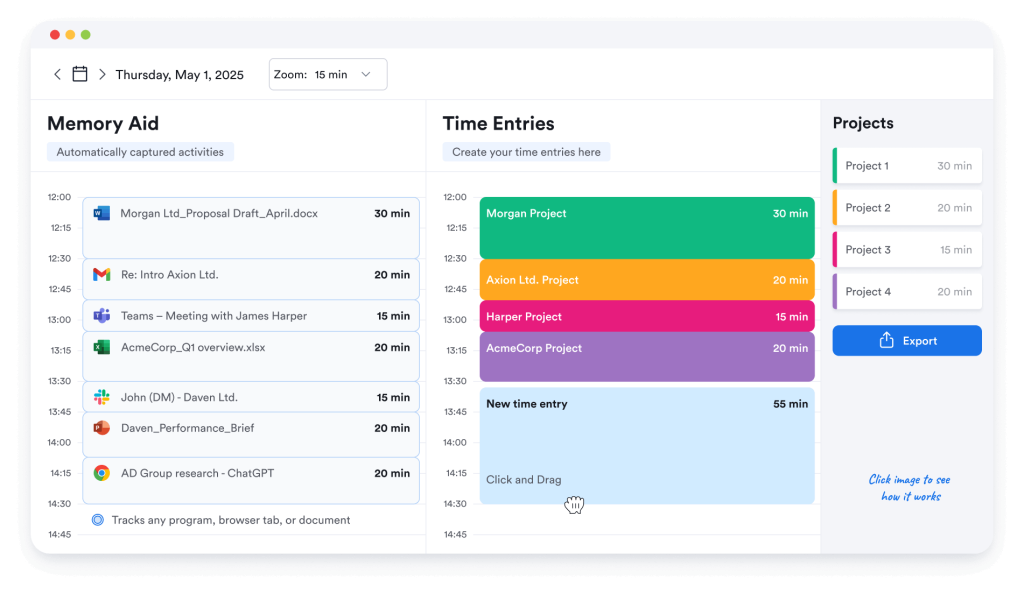
An HR friend I know well adopted Memtime in a consulting firm where manual time tracking was consistently inaccurate. Consultants worked across dozens of apps each day, and reconstructing time from memory rarely worked.
Memtime’s automatic tracking quietly solved that problem. Daily timelines showed exactly where time was spent, making end-of-day reviews simple and surprisingly insightful. One consultant noted that it felt more like a reflection than a report.
The firm used Memtime for personal accuracy, not oversight. There were no timers to start or prompts breaking focus, which helped adoption. Over time, billing accuracy improved, and estimates became more reliable.
For professionals who want precise time records without interrupting their work, Memtime functioned as a background assistant that respected attention and flow.
Pros:
- Automatically records all work activity without timers, ensuring accurate time capture without manual input.
- Stores tracking data locally on the user’s device, offering strong privacy protection and full user control.
- Runs silently in the background without interruptions, allowing employees to focus entirely on work.
- Provides detailed personal activity timelines that help users review, recall, and report their work accurately.
- Helps teams analyze project time usage to improve planning accuracy and overall profitability.
Cons:
- Does not allow managers to monitor employee activity in real time.
- Unsuitable for organizations that require centralized or supervisory monitoring.
Pricing: Starts at €12/user/month. Billed annually.
11. CurrentWare
Best for Tracking Employee Productivity & DLP for Compliance Critical Orgs
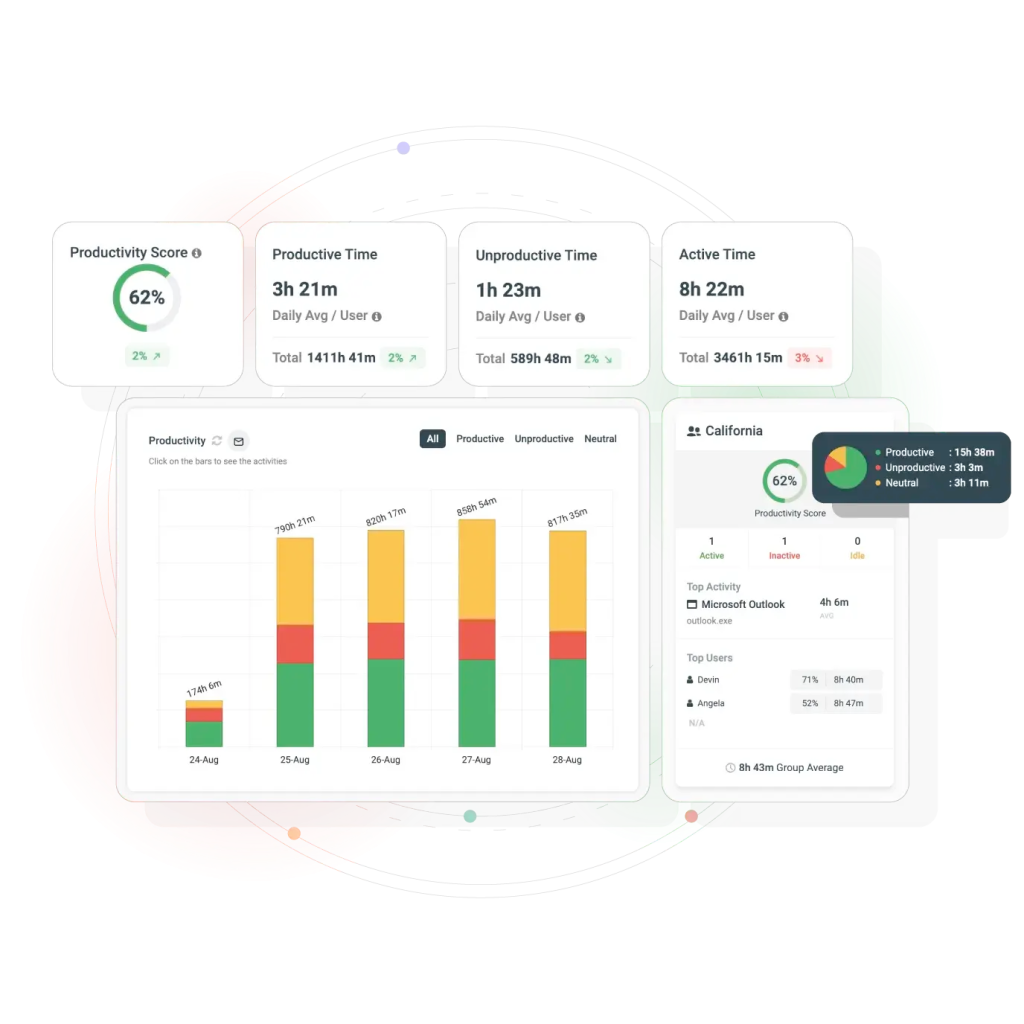
CurrentWare is an employee monitoring, insider threat detection, and data loss prevention platform that gives organizations real-time visibility into how work happens across apps, websites, and devices. It combines activity monitoring, web filtering, data loss prevention, and device controls into a single modular suite managed from one console. It ensures actionable productivity insights, compliance-ready audit trails, and policy enforcement.
Unique to CurrentWare are privacy-aware monitoring options, on-premises and self-hosted cloud deployment for maximum data control, and unified modules to reduce vendor sprawl.
CurrentWare also helps optimize software spend by showing real application usage and supports hybrid workforce analytics without intrusive GPS tracking. Used by regulated organisations in government, law, financial services, defense, healthcare, and IT domains that need monitoring aligned to meet compliance and governance requirements.
Pros
- Unified suite (monitoring, web filtering, DLP, device control) in one platform
- Strong compliance and audit reporting
- On-premise deployment option for full data control
- Privacy configurable monitoring (not surveillance first)
- Strong hybrid and remote workforce visibility
Cons
- On-premise deployment requires IT setup
- It is not a project management tool
Pricing: Starts at $6 per user/month
How I Chose These Employee Monitoring and Tracking Software/My Evaluation Criteria
I followed a consistent and unbiased framework while selecting and evaluating the tools featured in this list. My goal was not to promote a specific category or monitoring style, but to present software that performs reliably across different organizational needs, cultures, and risk levels. Every product was assessed using the same core criteria to ensure fairness and depth.
Here is the exact approach I used.
1. User Reviews and Ratings
I began by analyzing real user reviews and ratings across reliable platforms to understand how these tools perform in everyday work environments. This feedback helped me identify consistent strengths, recurring frustrations, and long-term satisfaction beyond promotional claims.
2. Essential Features and Overall Functionality
I closely examined the core monitoring and tracking capabilities of each tool to assess practical usefulness. The focus was on whether the software delivers reliable functionality that supports real operational and management needs.
3. Ease of Use
I evaluated how easy each platform is to adopt and use, paying attention to interface clarity, navigation flow, and setup effort. Tools that required minimal training and fit naturally into daily workflows ranked higher.
4. Customer Support Quality
I assessed the quality of customer support by considering responsiveness, availability, and effectiveness during onboarding and issue resolution. Strong support often determines whether a tool remains usable as teams grow.
5. Value for Money
I compared pricing against feature depth, reliability, and scalability to determine whether each tool delivers fair value. The goal was to help readers judge if the investment aligns with expected outcomes.
6. Personal Experience and Expert Perspectives
I incorporated insights from my own experience along with observations from HR leaders and industry professionals. These perspectives helped validate how well each tool performs outside controlled demos and marketing material.
My Top 3 Employee Monitoring and Tracking Software
Now, if the list of top tools sounds a bit overwhelming, let me help you narrow down your choices. Here are the top 3 employee monitoring and tracking tools that I found really helpful.
1. PeopleGoal
PeopleGoal stands out for making monitoring meaningful rather than intrusive. Instead of just clocking hours or screenshots, it helps organizations tie employee activity to goals, engagement trends, and career growth. This approach transforms monitoring from a compliance task into an actual performance and development conversation. As people tracking software, it focuses more on goals, engagement, and growth signals than on surveillance-style activity data.
2. Monitask
I chose Monitask because it balances oversight and trust in a way that works for modern remote teams. Its activity tracking, optional screenshots, and background operation give managers visibility without turning employees into subjects of constant surveillance. I’ve seen teams use it to uncover workflow friction, not just clock time.
3. ActivTrak
ActivTrak earned its place because it offers deep behavioral insights without sacrificing privacy. Its analytics focus on patterns, trends, and non-intrusive productivity signals, making it ideal for organizations that want workforce intelligence rather than punishment.
Ready to Pick the Best Employee Monitoring and Tracking Software?
The right approach to employee tracking depends on what kind of clarity actually improves decisions rather than adding noise.
Choosing employee monitoring and tracking software is really about deciding what you want visibility into. Some teams care about time, others care about patterns, and some care about progress. The best tools make work clearer, not louder. When monitoring supports better conversations and smarter decisions, it earns its place instead of feeling imposed.
If I had to lean one way, it would be toward PeopleGoal. It tracks goals, feedback, engagement, and progress without hovering over activity. You see movement, not noise. That makes monitoring feel less like supervision and more like guidance, which is a rare balance to strike.
Which one of the tools did you find helpful for your organization?
Ready to 3x Your Teams' Performance?
Use the best performance management software to align goals, track progress, and boost employee engagement.